ESP32AI.ME
a lab of small ESP32 devices

Small devices, one at a time.
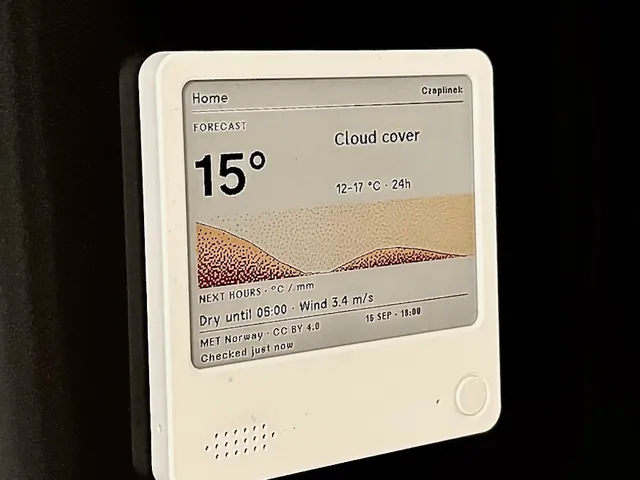
The radio for your kitchen shelf works today.

I write systems for small ESP32 devices and say plainly what stage each one is at: a radio cube for the kitchen shelf works today, a small LoRa radio is under test, a bigger screen waits in the workshop. You buy the hardware finished, put the system on it from your browser, and it reports to nobody — it talks only to what you chose: the radio to its stations, Biper to other Bipers.

What is on the bench

Everything I publish, and the stage each thing is at.

Works todayReleased, installed from this site, used every day.

Works today · 0.4.1

Open Radio

system: free · hardware: M5Stack Core2, about 50 € (220 zł)

A radio for the kitchen shelf. Pick nine of 236 stations with your phone once, then just touch the screen. With no internet it still hums white, pink or brown noise for sleep or for work. With a small sensor it shows CO₂ and writes one sentence about the air — never about you.

  • 236 stations
  • installs in 2 minutes
  • noise: white, pink, brown
  • no account, no cloud
  • free to copy and change
  • system downloads so far
Install it (2 min)See what it doesWhere to buy the cube ↓from a computer with a USB cable · Chrome, Edge, Opera or Firefox 151+

Seventy seconds from the box to the music: the QR code, the phone picking your nine stations, and then twelve screens you can touch, drawn by the same code that draws on the cube.

no sound · 1920×1080 · MP4 and WebM from my own server, no YouTube and no tracking

For the curious · technical details
Device
M5Stack Core2 v1.3, a finished cube with screen, speaker and battery
Chip
ESP32-D0WDQ6-V3, two cores at 240 MHz, 8 MB of working memory
Screen
2 inches, 320 × 240, touch
Sound
built-in speaker; a Bluetooth speaker can be added from the menu
Network
Wi-Fi 2.4 GHz; no cloud behind it
Sensors
Port A: ENV Pro (BME688, 99 zł) or CO2 Unit (SCD40, 159 zł); optional
Stations
236 in release 0.4.1, counted in the release file, MP3 streams only
Licence
GPL; the sources ship next to the binary, with a written offer valid three years
Install
two files from the browser: 0x0 erases, 0x10000 keeps your settings

The technical page has the measurements, the changelog has every release.

Technical page Changelog All 236 stations Air sensors Repository ↗
Works today · installer open · 0.9.2

Biper

system: free · hardware: M5Stack Unit C6L, price on the kit page · LoRa mesh, works with no coverage and no internet

A small radio for short text messages when there is no network. Messages hop from cube to cube over LoRa, and the screen is a page the cube serves to your phone. Two cubes installed from this site talked to each other on 17 and 20 August; four more are on the bench to prove that it repeats.

  • LoRa 868 MHz · no SIM, no subscription
  • your phone is the screen
  • no account, no cloud
  • open MeshCore firmware underneath
Installer (5 min)See the projectfrom a computer with a USB cable · Chrome, Edge, Opera or Firefox 151+
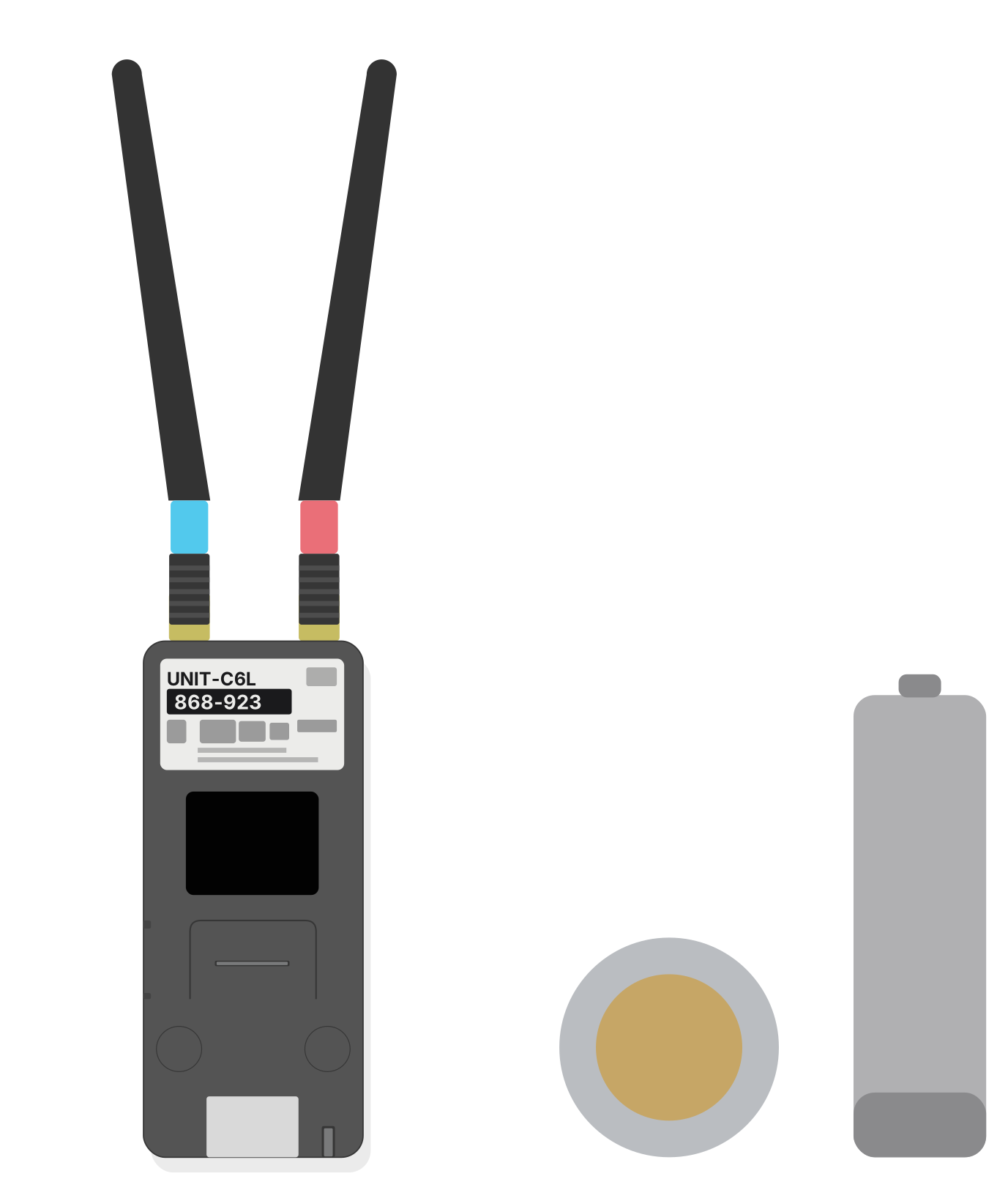
Beside it, at the same scale: a 5 zł coin and an AA battery. The body is 56 × 24 mm, exactly as wide as that coin.
For the curious · technical details
Device
M5Stack Unit C6L, a small radio 24 mm wide, two antennas
Radio
LoRa 868 MHz on the MeshCore network, built by its users; your phone links over the cube's own Wi-Fi
System
Biper 0.9.2 on MeshCore; since 0.9.0 it carries no Bluetooth, and the panel page is stored in the cube
Installer
in the browser; the file is verified byte for byte before it is written; stock MeshCore can be flashed instead
Proven
17 Aug: first message between two cubes installed through this site; 20 Aug: both ways on my system
Not yet proven
repeatability on cubes I have never held; four new ones start with an inspection
Source
public repository github.com/fiedoruk/biper-lora; the MeshCore firmware underneath is open too

The project page keeps the test status point by point, with dates and photos.

Progress and evidence What to buy Manual Repository ↗

Works today · for any ESP32

esp32install

tool: free · my releases and your own files

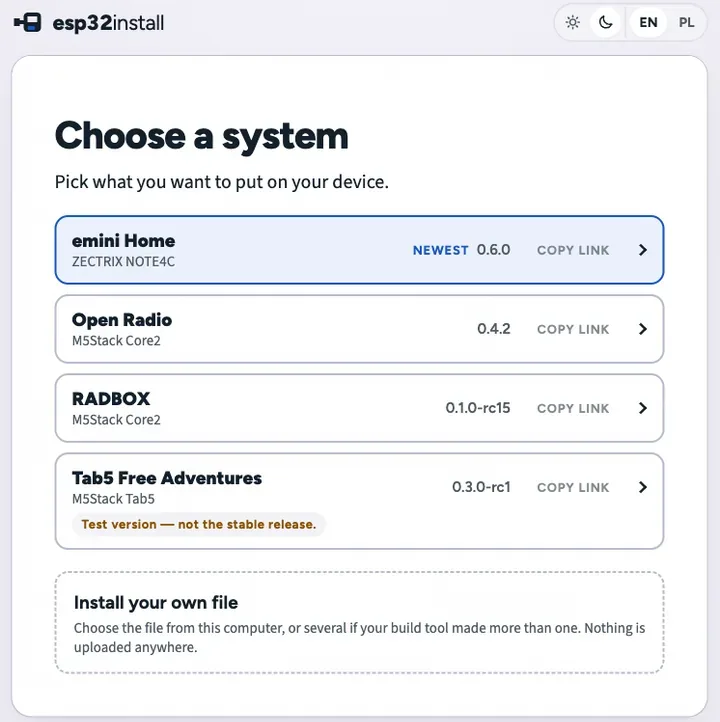
The page that puts a system on a device. Plug the board into a computer with a USB cable, click once, and the browser writes it — there is nothing to install first. It takes my releases and a file of your own just the same, and anyone can copy the whole page onto their own server.

  • writes over the cable, straight from the browser
  • one button · Chrome, Edge, Opera, Firefox 151+
  • checks every file before and after writing
  • your own file from disk, or an address you paste
  • nothing is sent anywhere
  • MIT · copy it to your own server
Open the installerInstall your own filefrom a computer with a USB cable · Chrome, Edge, Opera or Firefox 151+
For the curious · technical details
What it is
one page, a few small scripts and a copy of esptool-js — no build step, no server behind it, nothing from a CDN
Browser
Web Serial: Chrome, Edge and Opera on a computer, Firefox from 151; a phone cannot do it
Before writing
size and SHA-256 of every file, addresses that do not overlap, nothing past the end of the memory, and the image header has to name the chip that answered
After writing
the chip reports its own MD5 of what actually landed there
Keeping settings
a second way that copies the whole memory first, writes only the declared areas and reads them back
Wi-Fi
the device can take your network details over the same cable, when its system offers it
Your own file
from disk or from an address; the page reads the chip out of the header and shows the address before it writes anything
Licence
MIT — the page, the two tools and the tests are all in the repository

Two small tools come with it: one writes the release file from your binaries, the other asks a live site whether everything it promises is really there.

The installer Repository ↗

Under test, installer openYou can install it already; I write next to it what is proven and what is not.

In tests · almost ready · 0.1.0-rc15

RADBOX

system: free · hardware: the same M5Stack Core2

The same cube doing a different job: it counts the Wi-Fi networks and Bluetooth devices around it and draws what moved since the last scan. It never says what the signals are, only how many.

  • 2.4 GHz Wi-Fi + BLE · passive by default
  • nine instruments
  • no names, no MAC or BSSID
  • no account, no cloud
  • open licence · source on request
Install it (1 min)See what it doesfrom a computer with a USB cable · Chrome, Edge, Opera or Firefox 151+
The cube with real screens of the instruments.
For the curious · technical details
Device
the same M5Stack Core2 v1.3; one system fills the cube, so you choose at install time
Scanning
passive by default; Deep Scan, switched on by hand, sends standard BLE scan requests for at most four seconds
Screen
nine instruments on 320 × 240
Privacy
no names, no MAC, no BSSID; it does not identify devices, people, cameras or bugs, and says so on the device
Licence
Apache-2.0; no public repository yet, source on written request

The release candidate has a short film on its page.

What it does Install

In the workshopNothing here can be downloaded, and none of it has a date.

Tab5 — applications, not one system

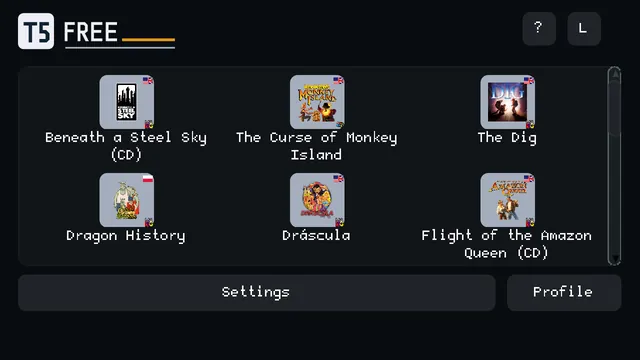
A much larger device and a different idea: the system and the applications will be separate, so you pick one on the screen instead of reinstalling everything. Somebody has already written that chooser screen, and joining those people beats writing my own.

More systems for Core2

The same cube, other systems, for people who want something other than radio.

Devices built here

The next step after finished cubes: my own devices, in cases printed here, with systems written for them.

When something can be installed, it moves up this board.

How it works

The same three steps for everything on this board.

One box from a shop

Screen, speaker and battery inside, case around them. Nothing to solder.

One click in your browser

Plug in a USB cable, open a page, press install. No program, no account. From a computer in Chrome or Edge; the cable has to reach it.

It works

A few minutes later the device does its job on its own. If it needs your Wi-Fi, it asks once, at first start. It never reports back to me.

Why there is so little to configure

The usual road to a device like this is picking a screen, soldering, compiling in a programmer's toolkit and hunting for drivers. I walk that road once, for one exact device, so you never have to. The system is written for that one piece of hardware from scratch, which is why there is very little left to configure and very little that can go wrong.

The hardware

Finished devices, bought in a shop, and what runs on which. My own builds come later, on the board above.

  • M5Stack Core2

    Works today

    A cube the size of a matchbox: screen, speaker, battery and case. About 50 € or 220 zł.

    Runs today: Open Radio and RADBOX (in tests), one at a time

  • M5Stack Unit C6L

    Works today

    A small white radio with a tiny display and two antennas; your phone is the screen. Price and shops on the kit page.

    Runs today: Biper

  • M5Stack Tab5

    In the workshop

    A 5-inch slab with a much faster chip; a camera battery goes in separately.

    Runs today: nothing yet

Comparison of the cubes
FeatureM5Stack Core2Works todayM5Stack Tab5In the workshop
What runs on it today(better) Open Radio and RADBOXRADBOX still in tests; one system at a timenothing yetBiper runs on its own small radio, the Unit C6L
ChipESP32-D0WDQ6-V3two cores, 240 MHz(better) ESP32-P4two cores at 360 MHz, plus a low-power one
Working memory8 MB(better) 32 MBfour times the room
Screen2 inches, 320 × 240(better) 5 inches, 720 × 1280about twelve times the pixels
Battery(better) built in, 500 mAhplays the moment you unbox itnot includedtakes a camera battery you buy separately, then runs about 6 hours
Sound over Bluetooth(better) built inOpen Radio plays through a Bluetooth speaker this waythrough an adapterits own Bluetooth cannot carry sound, so a small transmitter goes into the headphone socket, about 14–19 €
Wi-Fi2.4 GHz(better) Wi-Fi 6, 2.4 GHzon its own radio chip
Cameranone(better) 2 MP
USBto a computer only(better) also a full-size socketfor a keyboard or a game pad
What it costs(better) about 50 €everything in the boxabout 65 €the screen alone; with the battery and adapter from the rows above it comes to roughly 90–95 €

On a phone the table scrolls sideways →

Not everything gets in. The Waveshare ESP32-S3-Touch-AMOLED-1.8 had a beautiful screen and no battery, so it stayed out.

Where to buy the Core2

Paid partnership · Botland is a partner of this project. Buy the cube anywhere you like, the system works the same.

Botlandabout 220 zł · ships from Poland ↗M5Stackabout 50 € · the maker's own shop ↗
For the curious · the two cubes side by side, and why these

Why these cubes

I do not take the first board that happens to have a screen. A cube gets in only when everything is already inside it: display, sound, power and a case. I am not tied to one brand; what counts is what the device already has inside.

Then comes the part nobody sees. These chips are small, so there is no room for waste: every kilobyte is accounted for, and a feature that does not fit simply does not ship. And when something fails, the system tries again by itself, with no reboot and no phone in your hand.

What ESP32 actually is

A chip about the size of a fingernail, with Wi-Fi and Bluetooth already inside, costing a couple of euros. It sits in thousands of things nobody calls a computer: smart plugs, sensors, toys. All the devices on this page are built around one, and that is why they can be small, cheap, and work with no computer or phone nearby.

a chip made by Espressif
ESP32 is a family, not one chip
Xtensa + RISC-Vtwo architectures in one family
S · C · Pperformance · cost · no radio
C3 · C6 · S3 · P4all of these are ESP32
2.4 GHzWi-Fi in the series that have a radio
P has no radioa plain processor, for screens
a few złotyswhat one costs
Built on
EspressifEspressifESP32 · ESP32-P4
M5StackM5StackCore2 · Tab5
ArduinoArduinoframework
PlatformIOPlatformIObuild

Four rules for everything here

They hold for everything on this board, whatever the device.

No account, ever

Not at install time, not later.

Nothing updates itself

A new version arrives only when you put it there. No overnight surprises.

Nothing about you leaves the device

The device connects to whatever you use it for, and to nothing else. No telemetry, nothing sent to me.

The recipe comes with it

The source of every system is yours to read, change and build again: next to the download, or on written request where the licence says so.

Who writes this, and where the name comes from

ESP32 is the chip. .me is the point: the device is yours, you put the system on it yourself, and it reports to nobody. ai is how the code gets written: by AI agents, under my supervision. Three models from three companies, each for something different; each system's page says what was used for it. Every decision and everything that reaches you is approved by me, and I answer for it.

AnthropicClaude
OpenAIGPT
KimiK
Newsletter

An e-mail when something new lands

New systems, new releases, new devices — a short e-mail when there is something real to install. No schedule, no spam.

Your address stays on my own server in the EU and goes to nobody else. First you will get a confirmation e-mail — the sign-up counts once you click the link in it.